 NullClipper
Chrome · Opera · Edge
NullClipper for your browser
Snip or record a short GIF of the current tab. Copy a PNG, or an encrypted NullImage link — no account, no tracking, ever.
Manifest V3 · current tab only · MIT licensed · need the whole desktop? try the Windows app
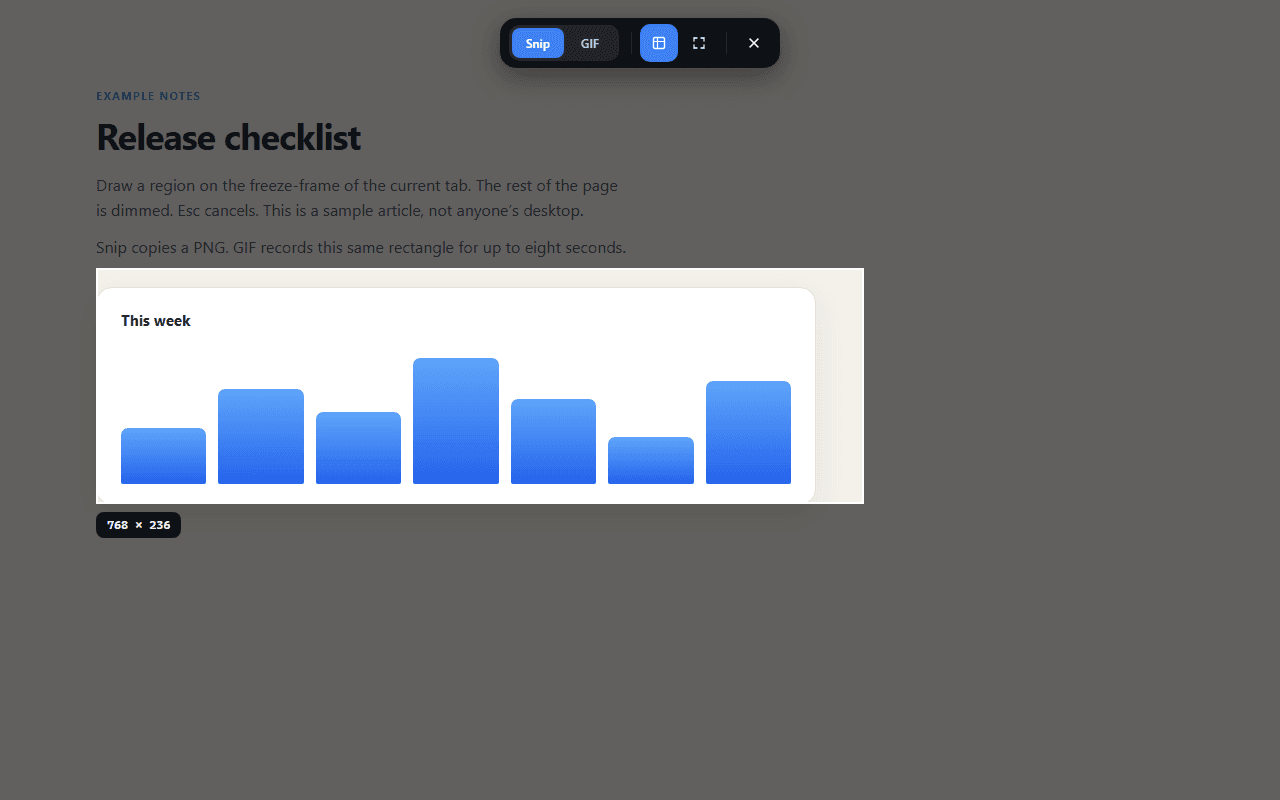
Capture in three steps
- 1
Click the icon, or press the hotkey
Pin NullClipper and click Capture, or press Alt+Shift+X — rebindable any time in the browser's extension shortcuts page.
- 2
Drag a region on the freeze-frame
The rest of the tab dims. Esc or the close button cancels — nothing is captured until you draw a rectangle.
- 3
Snip copies a PNG, GIF records up to 8s
Same mode selector, same region. GIF runs at ~12 fps with its longest side capped at 640px, so files stay small.
What it does
Captures just the current tab
No screen-recorder permission dialog, no access to your other tabs or desktop — captureVisibleTab snapshots only the tab you're looking at, and only after you act.
Never injects into the page
The tab is snapshotted and cropped in an extension-owned window, not a content script. It's also why NullClipper still works on ordinary sites in Opera, which normally blocks sideloaded extensions from scripting pages.
Snip or a short GIF
Snip copies a still PNG. Switch to GIF in the same toolbar to record that region for up to 8 seconds — same size cap, same region, one mode selector.
Copies straight to the clipboard
By default a capture lands on your clipboard immediately. Nothing leaves your device unless you turn NullImage uploads on.
Optional NullImage upload
Flip the switch in the popup and a capture is encrypted on your device — the same ni1-aes-gcm-256 scheme as nullimage.org — before the ciphertext is sent. The link is copied instead of the image.
Nothing phones home
No accounts, no analytics, no ads, no crash telemetry. Settings live in the browser's local extension storage on your device — uninstalling deletes them.
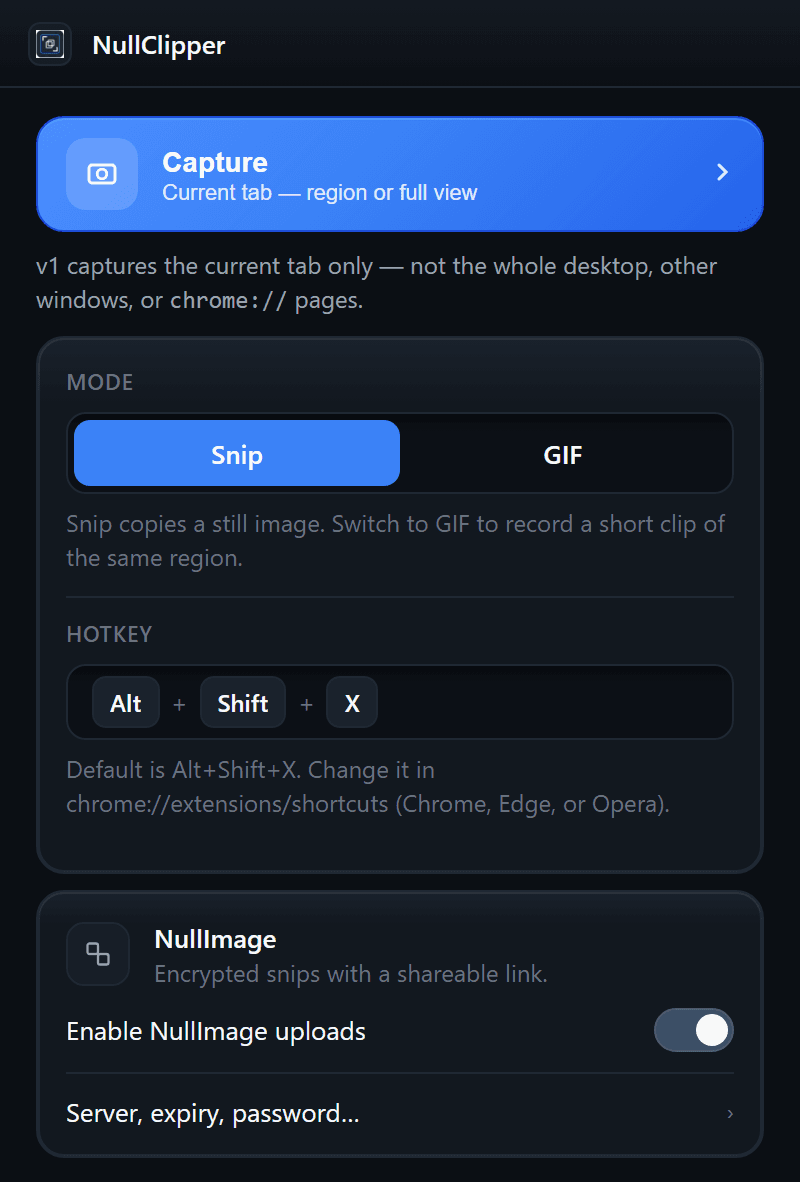
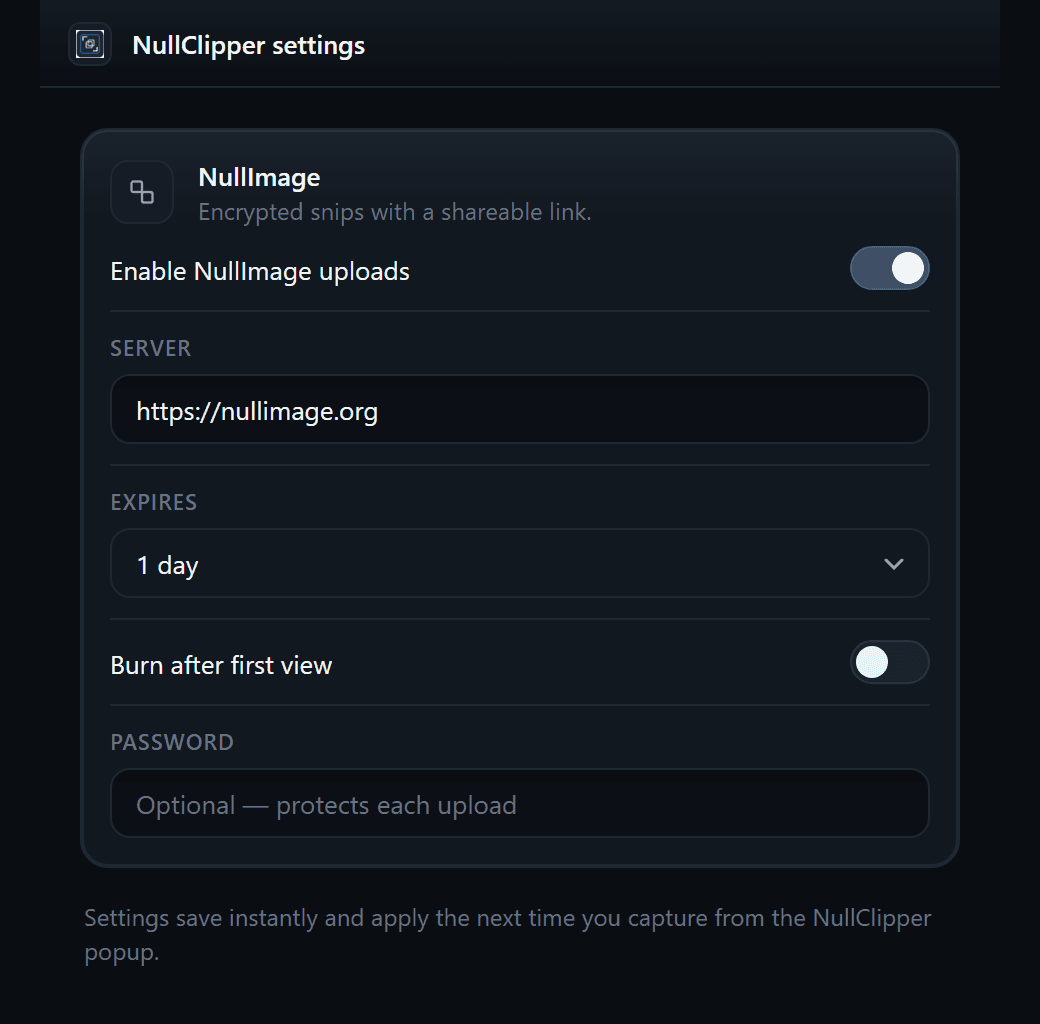
Optional · NullImage
An encrypted link instead of an image
Off until you turn it on. Each capture is encrypted on your device with AES-256-GCM; the key stays in the link's #k= fragment, which browsers never send to a server.
The settings page — Server, expiry, password… in the popup — sets the server (default nullimage.org, or your own), expiry from 1 hour to 7 days, burn after first view, and an optional password. If an upload ever fails, the image is copied locally instead.
Extension vs. the Windows app
Same encryption, same NullImage link format — different capture surface.
| Feature | Browser extension | Windows app |
|---|---|---|
| Region snip | Visible area of the current tab | Any monitor or window, freeform too |
| Full capture | Full visible tab | Fullscreen monitor |
| GIF | Region of the tab, ~12 fps, 8s max, 640px cap | Same limits, any screen region |
| Clipboard | PNG (GIF where the browser accepts image/gif) | PNG / GIF via the Windows clipboard |
| NullImage | Same ni1-aes-gcm-256 scheme, server configurable | Same ni1-aes-gcm-256 scheme |
| Hotkey | Alt+Shift+X, rebindable | Ctrl+Shift+X, rebindable |
Permissions, and why each exists
This is the text submitted for store review. There is no scripting permission and no content-script injection into web pages.
- activeTab
- Used only when you click Capture or press the hotkey, so we can snapshot the visible area of that tab.
- tabs
- Find the active tab, refuse restricted pages (chrome://, the stores), and open the crop / GIF UI as an extension page.
- clipboardWrite
- Copy the PNG, GIF, or NullImage share link to the clipboard on your device.
- storage
- Save Snip/GIF mode and optional NullImage settings locally. Nothing is synced to us.
- commands
- Keyboard shortcut to start a capture (default Alt+Shift+X).
- offscreen
- Manifest V3 helper document used to write image bytes to the clipboard.
- Host permission (optional)
- Requested only if you enable NullImage, and only for the server origin you enter — never used to read websites for capture.
Full policy: nullclipper.org/privacy
Install
Chrome and Opera: Chrome Web Store or Opera add-ons — one click.
Edge: the Edge Add-ons listing isn't live yet. Until it is, Developer Mode is a two-extra-click install:
- 1Download
NullClipper-extension.zipfrom the latest GitHub Release and unzip it to a folder you'll keep. - 2Open
edge://extensionsand turn on Developer mode. - 3Click Load unpacked, select that folder, then pin NullClipper.
Full per-browser walkthrough: docs/install.md · source: extension/